Here’s my easy and modern guide to getting pleasant looking fonts on Gentoo with minimal effort.
USE Flags
Enable the following USE flags:
euse --enable truetype type1 cleartype corefonts
and make sure everything is built with them enabled:
emerge -uDNa world
Emerge Fonts
X.org and other apps should pull in some common fonts. Here are some additional fonts useful for OpenOffice and other programs. Dejavu provides excellent default fonts which we will enable in the next section.
app-admin/eselect-fontconfig media-fonts/corefonts media-fonts/dejavu media-fonts/font-bh-ttf media-fonts/font-bh-type1 media-fonts/freefonts media-fonts/ttf-bitstream-vera media-fonts/unifont media-fonts/artwiz-aleczapka-en
Enabling fontconfig options
Use ‘eselect fontconfig list‘ to see a list of available configuration options.
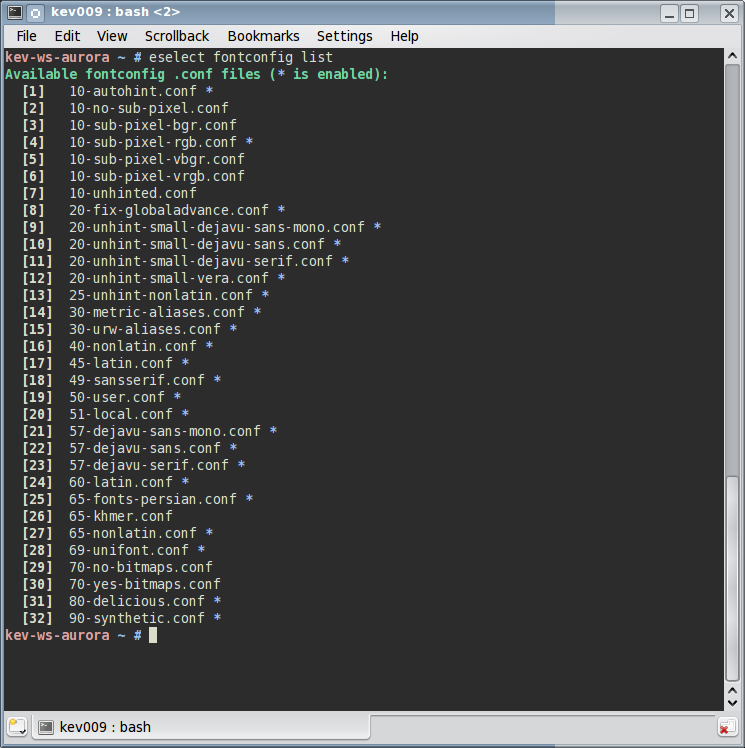
Try enabling the following with ‘eselect fontconfig enable <num from list above>’:
10-autohint.conf 10-sub-pixel-rgb.conf 20-unhint-small-dejavu-sans-mono.conf 20-unhint-small-dejavu-sans.conf 20-unhint-small-dejavu-serif.conf 25-unhint-nonlatin.conf 57-dejavu-sans-mono.conf 57-dejavu-sans.conf 57-dejavu-serif.conf
This will give you very nice hinted fonts suitable for the great majority of RGB LCD displays.
The 57- series rules enable dejavu fonts as the default Serif and Sans Serif fonts. This will improve the look of your desktop environment and programs like Firefox immediately.
~/.fonts.conf
This file controls your user fontconfig settings. We will reiterate RGB hinting and disable it for bold fonts so they are not overly bold. There are plenty of other tricks you can perform in this file to get more Windows-like text, but I’m quite satisfied with the following and find it very easy to read.
<?xml version='1.0'?> <!DOCTYPE fontconfig SYSTEM 'fonts.dtd'> <fontconfig> <match target="font"> <edit mode="assign" name="rgba"> <const>rgb</const> </edit> </match> <match target="font"> <edit mode="assign" name="hinting"> <bool>true</bool> </edit> </match> <match target="font"> <edit mode="assign" name="hintstyle"> <const>hintfull</const> </edit> </match> <match target="font"> <edit mode="assign" name="antialias"> <bool>true</bool> </edit> </match> <!-- Disable autohint for bold fonts so they are not overly bold --> <match target="font" > <test compare="more" name="weight" > <const>medium</const> </test> <edit mode="assign" name="autohint" > <bool>false</bool> </edit> </match> </fontconfig>
Conclusion
Please share any thoughts and tips in the comments. I recommend browsing the X.org Font Guide on Gentoo Wiki, though some of the information there is out of date or more complex than the method I just outlined.


Thanks! You just made my day :)
I prefer *not* to have corefonts on my system. There are many more free alternatives.
My own setup: http://e2-productions.com/imgbin/albums/fonts.png
Using mainly “Liberation Sans” with this .fonts.conf
Did not think about separate settings for bold fonts – will check it out.
Pingback: Links 05/12/2009: KDE Software Compilation 4.4 (“Kompilation”) in Beta | Boycott Novell
I have to say I do not like it. It looks too blurry (on your screenshot and on my desktop if I enable those fontconfig options; it is most visible on the menu bar). But if I disable the ’10-autohint.conf’ (and leave the ’10-sub-pixel-rgb.conf’) then it looks awesome – sharp; except for KDE 4 applicattions – they have more blurred fonts, maybe they are now doing double subpixel rendering or so, not sure where is the problem.
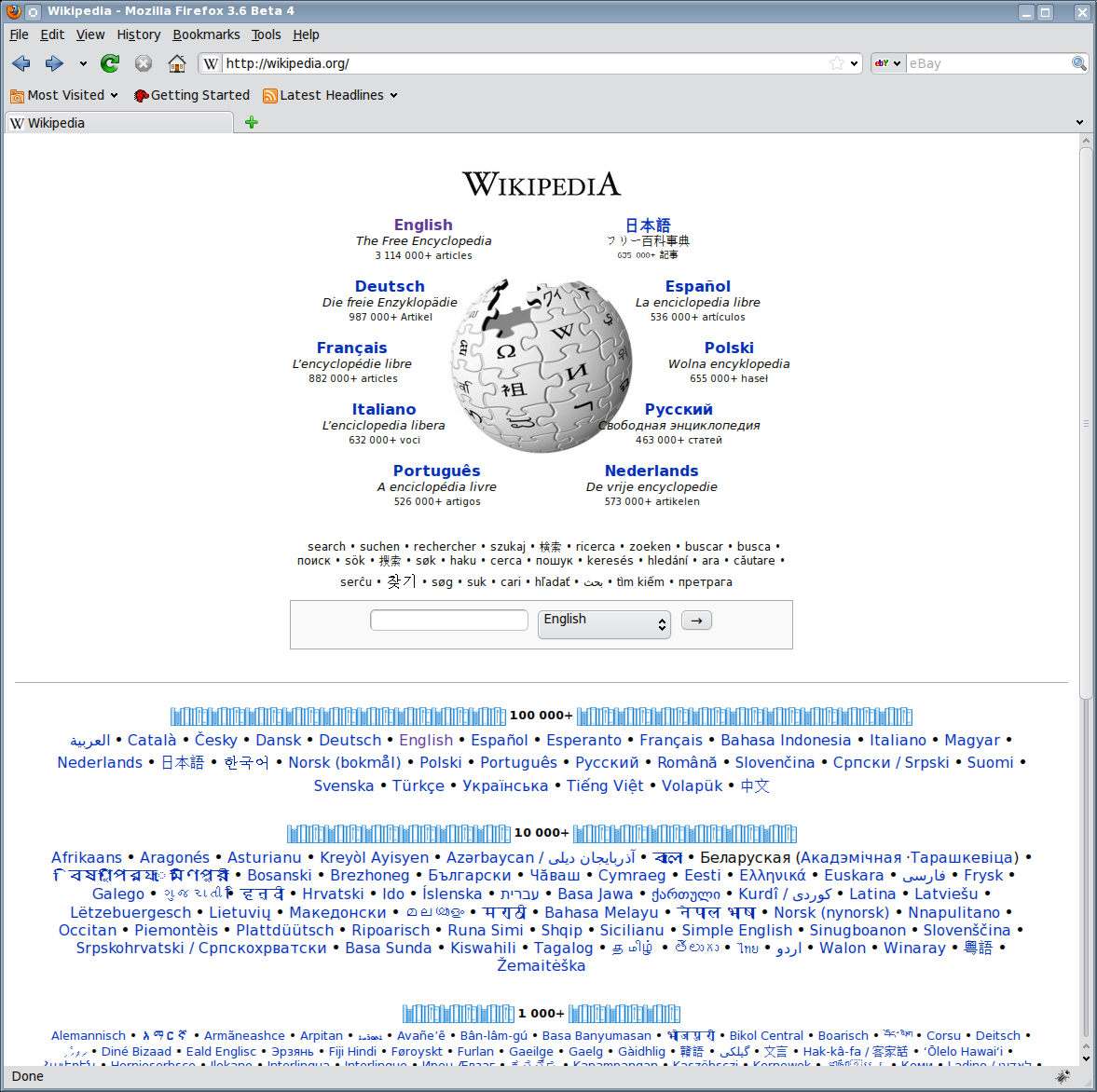
A little of topic…How to obtain correct visualization of languages like Gujarati or Malayalam in Firefox? I see that in your wikipedia screenshot, you’re able too visualize these characters correctly…but I can’t. I see just rectangles…
How to see everything properly like you?
Thanks for that excellent guide.
@HS
You may want to double check your monitor type. This guide was written assuming RGB LCD displays, and you need to make sure Xorg recognizes the DPI properly. If you have a BGR display (somewhat rare but I had one.. the Dell 1800FP) you will need to enable that .conf instead.
KDE apps have additional settings in System Settings->Appearance->Fonts. You can disable hinting there as well.
@Alessandro
This should be covered by the font list I provided.
Sorry man but your font rendering is terrible. I’m just trying to get the fonts working right because they look exactly the same way on my machine ;-)
Generally speaking, I found out (so far) that Firefox either use its own rendering or at least its own settings for cairo and/or freetype. Fonts in Firefox always look great as they do on your screenshot. Unfortunatelly this has nothing to do with your fonts settings. Firefox simply ignores these. Thus the only relevant part of your screenshot is the top menubar with blurry fonts. You’ll findout for yourself that any other application in your system renders fonts exactly in this ugly way and not in the way Firefox rendered Wikipedia page for you.
My tip is to disable bindist for freetype but not sure whether this will help. I’ll give it a try ;-)
I’d also recommend the (unfree) Mathematica fonts, as pulled in by Debian’s mathematica-fonts package:
http://packages.debian.org/sid/mathematica-fonts
Do not ask people to share their thoughts if you do not like to hear their opinion. I pointed out yesterday that Firefox renders fonts on itself and therefore the only relevant part of your screenshot is the top menu that really has the fonts blurry to my liking. You deleted this almost immediately ;-)
Well, I solved the issue for myself and came back to share the solution with you and other people here. But having the experience with your nazi behavior, I simply will not. Enjoy you crappy fonts :-)))
@pedro
First, I didn’t delete your post. I moderate posts so my site doesn’t become a spam bucket. I must have missed the point where you pay for my bandwidth or time it requires to do this, so sorry for only doing it every week or so ;-).
YES, DISABLE BINDIST on freetype. This allows for the hinting as required by the settings in this guide.
Also, this is the first time I’ve been victim to Godwin’s law :-O.
Thanks for the list of fonts.
“euse –enable truetype type1 cleartype corefonts”
Should be “type3″.
pedro, use Firefox’s –enable-system-cairo
All, read the huge Gentoo fonts thread if you want your desktop pretty:
http://forums.gentoo.org/viewtopic-p-6183606.html#6183606
Ubuntu’s patches should be used, if you *really* care about your font rendering.
w00t! very helpful, thanks!! =)
My eyes, my eyes, arggghh….
The fonts were so blurry that I wanted to gouge them out. Disabling cleartype in cairo solved them problem. Very happy with the result now. Cheers.
Thanks for the guide.
My fonts were not blurry enough. They were fat in some areas instead of fading and looking smooth.
Thanks!! Looks so much better. And it fixed an odd issue in Chromium with squares/boxes showing up in Gmail and other random pages.
Pingback: Firefox & GTK-Qt theme
Pingback: My Crusade » Blog Archive » Fonts Configuration of FVWM in Gentoo
Awesome. Thank you so much. I can see clearly now! :-)
@brebs
awesome bro, thanks for letting us know,
here I repeat the URL :
http://forums.gentoo.org/viewtopic-p-6183606.html#6183606
>Alessandro says:
>December 8, 2009 at 2:51 am
>A little of topic…How to obtain correct visualization of languages like Gujarati or >Malayalam in Firefox? I see that in your wikipedia screenshot, you’re able too >visualize these characters correctly…but I can’t. I see just rectangles…
>How to see everything properly like you?
I noticed the same thing, an eventually I figured out that it was because the font was too big to render into the requested point size. When I increased the text size in epiphany, the fonts popped right up. FWIW.
Very helpful article!
Thank you!
Worked like a charm, thank you! You have saved me hours of sifting the font deluge to find good ones! (that I now will spend looking through all episodes of RobotChicken! :-)
Dude, ew. Firefox fonts have a narrow vertical rise and a wide horizontal spacing. Just the opposite for Firefox tabs. Boldness is overly strong. I honestly can give you an D- … and that’s being generous.
Thanks alot man, this should be set as default on gentoo.
Many thanks. You just saved my day after a world upgrade and totally messed up fonts (I overlooked dejavu was uninstalled).
Pingback: Journaling Gentoo: Fonts and Keymaps » Polytropon
Hi,
I tried to compile with type1, but that flag doesn’t exist. Noe does type2 apparently. Any ideas?
Cheers!
Pingback: 给我的T400装上Gentoo (2) | Laputa's
Finally! Nice fonts also in FF.
Pingback: Guide To Installing Gentoo Linux On A Laptop - CCS NI